
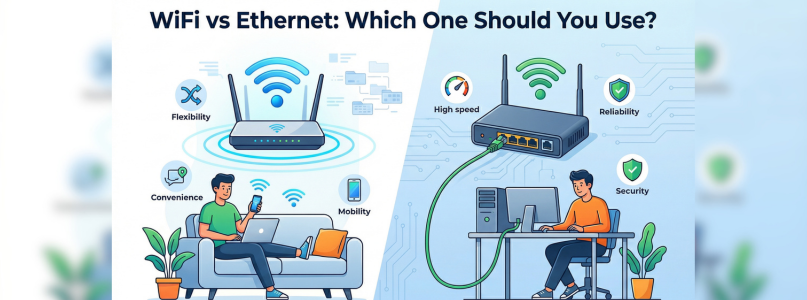
When setting up your home or office network, one common question arises: should you use WiFi or Ethernet? Both options have their advantages and drawbacks, and the right choice depends on your needs, usage, and environment. In this guide, we’ll compare WiFi vs Ethernet in detail to help you decide which one is best for you.
What is WiFi?
WiFi is a wireless networking technology that allows devices to connect to the internet without cables. It uses radio signals to transmit data between your router and devices like smartphones, laptops, and smart TVs.
Advantages of WiFi:
- Wireless convenience
- Easy to set up
- Supports multiple devices
- Ideal for mobility
Disadvantages of WiFi:
- Signal interference
- Slower speeds compared to wired connections
- Limited range
- Security concerns if not properly configured
What is Ethernet?
Ethernet is a wired connection that uses cables (usually LAN cables) to connect devices directly to the router or modem.
Advantages of Ethernet:
- Faster and more stable connection
- Lower latency (ideal for gaming)
- More secure than WiFi
- Less interference
Disadvantages of Ethernet:
- Requires cables
- Limited mobility
- Installation can be less convenient
WiFi vs Ethernet: Key Differences
| Feature | WiFi | Ethernet |
|---|---|---|
| Connection | Wireless | Wired |
| Speed | Moderate to high | High and consistent |
| Stability | Can fluctuate | Very stable |
| Mobility | High | Limited |
| Setup | Easy | Requires cables |
| Security | Moderate | More secure |
Speed Comparison
Ethernet generally offers faster speeds than WiFi because it provides a direct connection to the router.
- WiFi: Speed depends on signal strength and interference
- Ethernet: Consistent high-speed performance
For activities like streaming, gaming, or large downloads, Ethernet is often the better choice.
Best Option for Gaming
For gamers, a stable and low-latency connection is crucial.
- Ethernet: Best for online gaming due to low ping and no interruptions
- WiFi: Can work but may experience lag or packet loss
Best Option for Home Use
For general home usage:
- WiFi: Ideal for browsing, streaming, and smart devices
- Ethernet: Best for desktops, gaming consoles, or workstations
Most households benefit from using both.
Security Comparison
- Ethernet: More secure because it requires physical access
- WiFi: Can be vulnerable if not properly secured
Tips to Secure WiFi:
- Use strong passwords
- Enable WPA2/WPA3 encryption
- Update router firmware regularly
When to Choose WiFi
WiFi is the better option if:
- You need mobility (phones, tablets, laptops)
- Running cables is not practical
- You have multiple devices in different rooms
- You want quick and easy setup
When to Choose Ethernet
Ethernet is ideal if:
- You need maximum speed and stability
- You are gaming or streaming in high quality
- You work from home and need reliable internet
- Your device stays in one place
Can You Use Both?
Yes! In fact, combining both is the best approach.
Example Setup:
- Use Ethernet for desktops, gaming consoles, and smart TVs
- Use WiFi for mobile devices and general use
This ensures both flexibility and performance.
Tips to Improve Your Connection
For WiFi:
- Place router in a central location
- Reduce interference
- Use a WiFi extender or mesh system
For Ethernet:
- Use high-quality cables (Cat6 or higher)
- Keep cables organized
- Avoid physical damage
Common Mistakes to Avoid
- Relying only on WiFi for high-performance tasks
- Using outdated routers or cables
- Ignoring network security
- Poor router placement
Final Thoughts
Both WiFi and Ethernet have their own strengths, and the right choice depends on your needs. If you value convenience and mobility, WiFi is the way to go. But if you need speed, stability, and security, Ethernet is the better option.
For most users, a combination of both provides the best experience-giving you flexibility for everyday use and reliability for demanding tasks. Choose wisely based on your usage, and you’ll enjoy a smoother and faster internet connection.