
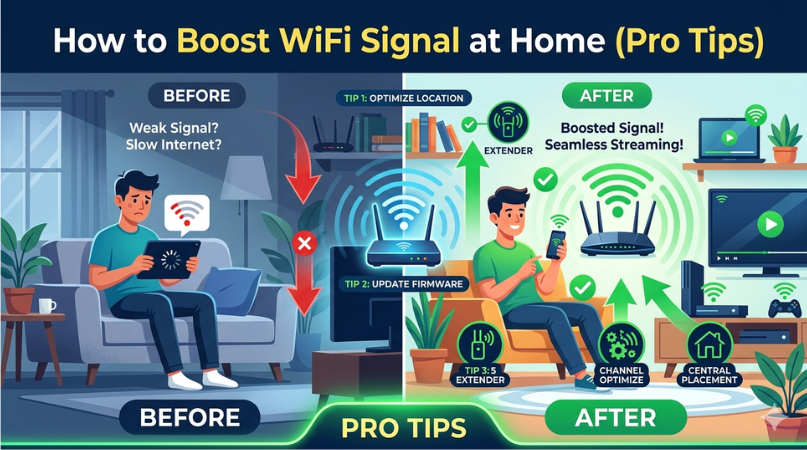
A slow or weak WiFi connection can be frustrating-especially when you’re working, streaming, or gaming. The good news is that you don’t always need to upgrade your internet plan. With a few smart adjustments, you can significantly improve your WiFi signal at home. Here are some proven tips to boost your WiFi performance.
Place Your Router in the Right Location
Your router’s placement plays a huge role in signal strength.
- Keep it in a central location in your home
- Avoid placing it near walls, metal objects, or appliances
- Elevate it (like on a shelf) for better coverage
A well-positioned router ensures the signal spreads evenly throughout your home.
Reduce Interference from Other Devices
Many household devices can interfere with your WiFi signal, such as:
- Microwaves
- Cordless phones
- Bluetooth devices
Keep your router away from these devices to maintain a strong and stable connection.
Restart Your Router Regularly
Sometimes, a simple restart can fix slow speeds.
- Turn off your router
- Wait for 30 seconds
- Turn it back on
This helps clear temporary bugs and refresh your connection.
Update Router Firmware
Outdated firmware can reduce performance and security.
- Log in to your router’s admin panel
- Check for firmware updates
- Install the latest version
Regular updates ensure optimal performance and better speed.
Use a WiFi Extender or Mesh System
If you have a large home, your router alone may not cover all areas.
- Install a WiFi extender to boost weak zones
- Consider a mesh system for seamless coverage
This is one of the most effective ways to eliminate dead zones.
Secure Your WiFi Network
Unauthorized users can slow down your internet.
- Use a strong password
- Enable WPA2 or WPA3 security
- Remove unknown devices
A secure network ensures your bandwidth isn’t being shared.
Change WiFi Channel
If many networks are nearby, channel congestion can occur.
- Access your router settings
- Switch to a less crowded channel
This can significantly improve speed and stability.
Limit Background Usage
Too many connected devices can reduce speed.
- Disconnect unused devices
- Limit heavy downloads
- Monitor bandwidth usage
Managing usage helps maintain consistent performance.
Upgrade Your Router
Older routers may not support modern speeds.
- Upgrade to a dual-band or tri-band router
- Look for WiFi 6 technology for better performance
This is a long-term solution for faster and more reliable internet.
Use Ethernet for Critical Devices
For devices that require stable speed (like gaming PCs or smart TVs), use a wired connection.
- Ethernet provides faster and more stable performance than WiFi
Final Thoughts
Boosting your WiFi signal at home doesn’t have to be complicated. From proper router placement to upgrading your equipment, these pro tips can help you enjoy faster and more reliable internet. Start with simple fixes and gradually move to advanced solutions for the best results.