
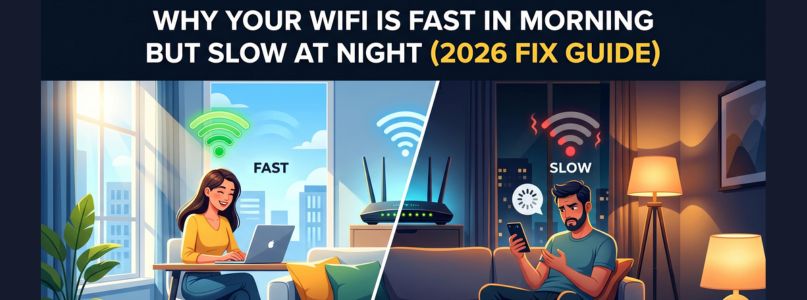
If your internet feels fast in the morning but becomes painfully slow at night, you’re dealing with one of the most common home network problems in 2026. Many users notice smooth streaming, quick downloads, and stable gaming early in the day-only to face buffering, lag, and dropped connections after sunset.
The reason usually isn’t your imagination. Evening slowdowns often happen because of network congestion, household usage spikes, device overload, or router limitations.
The good news: most nighttime speed issues can be improved without changing your internet plan.
In this guide, we’ll explain why WiFi slows down at night and the best fixes that actually work in 2026.
Why WiFi Gets Slower at Night
Nighttime is peak internet usage time.
Common Reasons:
- More people in your neighborhood online
- Family members streaming simultaneously
- Gaming traffic increases
- Smart devices active after work hours
- Router overheating after all-day use
- WiFi channel congestion
Your internet connection and your WiFi signal can both be affected.
1. Neighborhood ISP Congestion
Many cable and shared broadband networks slow during peak demand hours.
What Happens:
From around 6 PM to 11 PM, more households stream video, game online, and use video calls.
Signs:
- Morning speeds normal
- Night speeds drop daily
- Wired devices slow too
Run speed tests morning vs night. If both WiFi and Ethernet slow, ISP congestion may be the cause.
2. Too Many Devices at Home
Even fast plans can struggle when many devices use bandwidth at once.
Typical Night Usage:
- 4K streaming TVs
- Gaming consoles
- Video calls
- Cloud backups
- Security cameras
- Phones updating apps
Fix:
Pause unused devices and reduce simultaneous heavy usage.
3. Router Overload
Older routers may struggle with many connected devices.
Signs:
- Devices disconnect randomly
- Speeds drop only on WiFi
- Router needs frequent restarts
Fix:
Restart router weekly and consider upgrading if device count is high.
4. WiFi Channel Congestion
Neighbors’ networks compete with yours, especially in apartments.
Symptoms:
- Strong signal but slow speed
- Worse at night when neighbors are home
- Lag spikes
Fix:
Use your router settings to switch channels or enable auto-channel selection.
5. Router Placement Problems
Night slowdowns may seem worse when users gather in rooms far from the router.
Fix:
Place router:
- Centrally in the home
- Elevated on shelf/table
- Away from walls and metal objects
- Away from TVs and microwaves
6. Background Updates at Night
Many devices schedule updates overnight.
Examples:
- Phones backing up photos
- Consoles downloading games
- Windows/macOS updates
- Smart TV firmware updates
Fix:
Check update schedules and stagger downloads.
7. Router Overheating
Routers running all day in warm rooms can throttle performance.
Signs:
- Hot to touch
- Worse speed late in day
- Improves after reboot
Fix:
Improve ventilation and keep the router in open space.
Best 2026 Fixes That Actually Work
Reboot Modem and Router
A fresh restart often restores performance.
Order:
- Turn off modem
- Turn off router
- Power modem first
- Then router
Use 5GHz or WiFi 6 Network
If available, use faster bands for nearby devices.
Best For:
- Streaming
- Gaming
- Laptops
- Phones near router
Prioritize Devices with QoS
Many routers allow Quality of Service settings.
Use it to prioritize:
- Gaming consoles
- Work laptops
- Streaming TVs
Use Ethernet for Heavy Devices
Connect consoles, desktops, or TVs directly when possible.
Upgrade Old Equipment
If your router is 5+ years old, newer hardware may dramatically improve nighttime performance.
Mistakes to Avoid
- Restarting router every night without diagnosis
- Hiding router in cabinet
- Using one old router for 30+ devices
- Ignoring ISP speed tests
- Assuming more plan speed always fixes WiFi issues
How to Test the Real Cause
- If WiFi Slow but Ethernet Fast: Likely router or wireless congestion issue.
- If Both Slow at Night: Likely ISP congestion or bandwidth overload.
- If Only One Room Slow: Likely coverage or placement issue.
Pro Tips for 2026 Homes
- Families: Set streaming quality to Auto instead of 4K on all TVs.
- Gamers: Use Ethernet whenever possible.
- Apartments: Use 5GHz band to avoid crowded 2.4GHz channels.
- Smart Homes:Separate smart devices onto guest/IoT network if supported.
Final Thoughts
If your WiFi is fast in the morning but slow at night, the cause is usually peak-hour congestion, too many active devices, router overload, or wireless interference. The good news is you often don’t need a more expensive plan.
Start by testing speeds, optimizing placement, reducing device load, and upgrading outdated hardware if needed.
With the right setup, your WiFi can stay fast and stable all day-not just before breakfast.