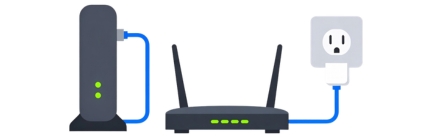
Connect Your Linksys Router
Connect your modem to the router’s Internet (WAN) port using an Ethernet cable. Then connect the power adapter to the router and plug it into a power outlet. Wait for the power light to become solid.
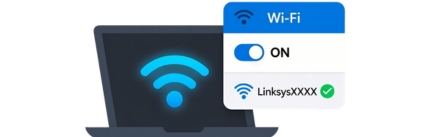
Connect to the Router Network
On your computer or mobile device, connect to the default Linksys WiFi network (SSID) shown on the router label. You can also connect using an Ethernet cable.

Access Linksys Setup Page
Open a web browser and go to linksyssmartwifi.com or 192.168.1.1. Enter your router password when prompted. If it’s your first time, you may be asked to create a new admin password.

Configure Your WiFi Settings
Follow the on-screen instructions to set your WiFi name (SSID) and password. You can set both 2.4GHz and 5GHz networks (if supported). Click Save to apply the settings.

Check Your Internet Connection
Once setup is complete, connect your devices to the new WiFi network and open a website to ensure everything is working properly.